AI customer support in 2026: what's actually happening
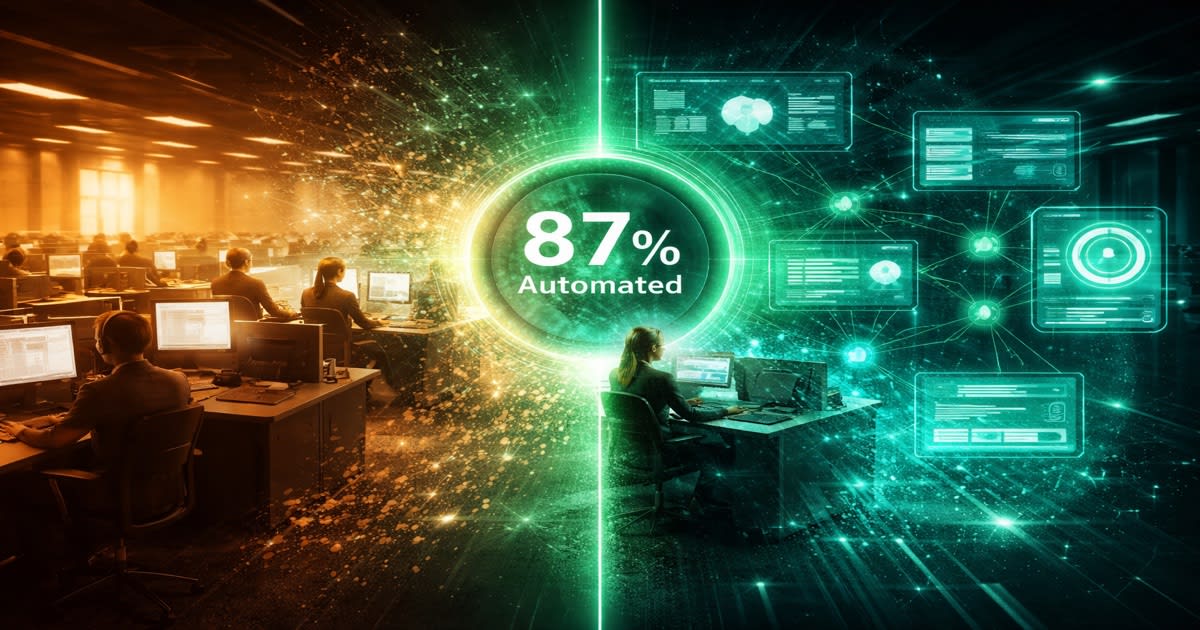
AI customer support automation has moved past the clunky chatbot era. Modern systems resolve 87% of routine inquiries without a human ever touching the ticket, according to Zendesk's 2025 CX Trends Report. That number was closer to 40% five years ago.
The shift happened faster than most predicted. GPT-4 landed in early 2023, and by late 2024 companies like Klarna reported their AI assistant was doing the work of 700 full-time agents. Intercom's Fin, Zendesk's AI agents, and Salesforce's Einstein Service Cloud all launched production-grade AI support products between 2024 and 2025.
But let's be honest about what "resolve" means here. These systems are good at password resets, order tracking, return policies, billing questions, and FAQ-style answers. They struggle with edge cases, emotionally charged complaints, and anything requiring judgment calls about policy exceptions. The 87% resolution figure counts the easy stuff — which, to be fair, is most of the volume.
67% of Fortune 500 companies now use AI chatbots in their support stack, per Gartner's 2025 survey. The remaining third aren't necessarily behind — some operate in regulated industries where AI-generated answers carry compliance risk, and others have support volumes too low to justify the setup cost.
The technology works. The question is whether your specific support operation is shaped right for it.
What tier-1 support looks like when a bot runs it
Tier-1 support is the front line: password resets, shipping status checks, "how do I cancel my subscription," and "where's my refund." These tickets share a pattern — the answer already exists somewhere in your help docs, and a human agent is just looking it up and rephrasing it.
When AI takes over tier-1, here's what actually changes. A customer sends a message at 2 AM asking about return eligibility. The AI reads the order data, checks it against the return policy, and gives a specific answer: "Your order #4821 shipped on February 12 and is eligible for return until March 14. Want me to start the process?" Response time: under 3 seconds. No queue, no hold music, no waiting until business hours.
The 92% customer satisfaction rate that IBM reported across AI support implementations makes sense when you think about it this way. Customers don't want to talk to a person — they want their problem fixed quickly. For straightforward issues, speed beats warmth.
The AI also handles the multilingual piece without hiring specialized agents. A support bot trained on your knowledge base can respond in 30+ languages, which matters if you sell internationally but can't justify a Spanish-speaking night shift.
Where it gets messy is the handoff. The best implementations use confidence scoring — if the AI is less than 85% sure of its answer, it routes to a human with full context attached. Bad implementations let the bot loop customers through the same unhelpful suggestions until they rage-quit. The difference between a good and bad AI support experience is almost entirely about knowing when to stop trying.
The cost math: $0.50 vs. $6.00 per interaction
The average chatbot interaction costs $0.50. The average human agent interaction costs $6.00. That's a figure from Juniper Research's 2025 analysis, and it accounts for salary, benefits, training, software licenses, and management overhead on the human side.
Let's make this concrete. Say your support team handles 10,000 tickets per month. At current rates, that's $60,000/month in human agent costs. If AI absorbs 70% of those tickets (a conservative target for a well-implemented system), you're looking at $3,500 in AI costs plus $18,000 in human costs for the remaining 30%. That's $21,500 versus $60,000 — a savings of $38,500 per month, or $462,000 per year.
Businesses see an average 340% first-year ROI from chatbot implementation, per Forrester's 2025 Total Economic Impact study. Companies save an average of $300,000 per year with AI customer support, though that figure varies enormously based on ticket volume and current staffing costs.
But the cost math has footnotes. Implementation isn't free — expect $30,000 to $150,000 for a proper enterprise setup including integration, training data preparation, and testing. Monthly platform fees from vendors like Intercom or Zendesk run $1,000 to $10,000 depending on volume. And someone on your team needs to maintain the knowledge base and review AI performance weekly.
The ROI is real, but it's not instant. Most companies hit break-even between month 3 and month 6. If your monthly ticket volume is under 500, the math might not work — the setup cost and ongoing maintenance could exceed what you'd save on agent salaries.
One cost people forget: customer churn from bad AI experiences. A Qualtrics study found that 53% of customers will switch to a competitor after one bad support interaction. Saving $5.50 per ticket means nothing if you're losing $5,000 customers because the bot couldn't handle a billing dispute.
What happens to the humans (they don't disappear)
The common fear is that AI support means firing the support team. The reality at most companies is different. The team gets smaller, but the remaining roles get harder and better-paid.
Here's the pattern we see across implementations. A team of 20 tier-1 agents becomes a team of 5 to 8 people who handle escalations, complex cases, and VIP accounts. Those agents need deeper product knowledge and better problem-solving skills than before, because the easy tickets never reach them. They're dealing exclusively with the problems AI couldn't solve — which are, by definition, the hard ones.
New roles appear. Someone has to manage the AI: reviewing flagged conversations, updating the knowledge base, tuning confidence thresholds, and writing new response templates. This "AI trainer" or "conversation designer" role didn't exist three years ago and now pays $65,000 to $95,000 according to Glassdoor listings from 2025.
There's also a quality assurance function. The best support operations have a human reviewing a random sample of AI-handled conversations weekly — checking for hallucinated policies, tone issues, and missed escalation signals. Gorgias, which provides AI support for e-commerce brands, recommends reviewing at least 5% of AI conversations.
The honest version: yes, some people lose their jobs. A company that employed 50 tier-1 agents and now needs 15 has laid off 35 people. Training programs and internal transfers help, but they don't fully solve the displacement. Companies that handled this best — like Octopus Energy, which redeployed agents into sales and retention roles — planned the transition over 6 to 12 months rather than flipping a switch.
The agents who thrive in the new setup are the ones who were already good at complex problem-solving and had strong product knowledge. The agents who primarily followed scripts for routine issues are the ones most at risk.
How to implement AI customer support without a disaster
Implementation has a predictable failure mode: company buys AI tool, turns it on for all customers at once, customers get terrible answers, company turns it off and declares AI doesn't work. Here's how to avoid that.
Start with your knowledge base. If your help docs are outdated, contradictory, or incomplete, the AI will confidently give wrong answers. Audit every article. Update anything older than 6 months. Fill gaps where agents currently rely on tribal knowledge. This step takes 2 to 4 weeks and is the single biggest predictor of success.
Pick a narrow scope for launch. Don't try to automate everything on day one. Choose one category — order status, password resets, or return policy questions — and let the AI handle only that. Route everything else to humans. Expand the scope after you've verified accuracy in the first category.
Set up the handoff properly. Define clear rules for when the AI should escalate: customer uses angry language, asks the same question twice, requests to speak to a person, or the AI's confidence score drops below your threshold. The handoff should include full conversation context so the human agent doesn't ask the customer to repeat themselves.
Run a shadow period. For the first 2 weeks, have the AI draft responses but don't send them to customers. Instead, show them to your agents alongside their own responses. This lets you catch problems before customers see them and builds agent trust in the system.
Measure from day one. Track resolution rate, customer satisfaction per AI conversation, escalation rate, and average handle time. Compare these against your human baseline. If AI satisfaction scores drop more than 5 points below human scores, pause and fix before expanding.
Plan for the 10% of conversations that go wrong. They will happen. Have a process for customers to flag bad AI interactions, and respond to those flags within 4 hours. One viral screenshot of your bot saying something ridiculous can undo months of goodwill.
Measuring success: the numbers that matter
Most companies track the wrong metrics after implementing AI support. Deflection rate — the percentage of tickets handled without a human — is the number everyone obsesses over, but it's incomplete on its own. A bot that deflects 95% of tickets by giving useless answers that cause customers to give up isn't successful.
Here are the metrics that actually tell you if this is working.
First-contact resolution rate measures whether the customer's problem was actually solved, not just whether the ticket was closed. Target: 75% or higher for AI-handled conversations. Track this by sending a follow-up survey or monitoring whether the same customer opens a new ticket within 48 hours on the same topic.
Customer satisfaction score per channel lets you compare AI versus human performance directly. If your human agents average 4.2 out of 5 and your AI averages 3.8, that gap tells you something specific needs fixing. The 92% satisfaction rate across AI implementations is an industry average — your results will vary based on how well your knowledge base matches your actual support requests.
Escalation rate should be between 15% and 30% for a mature implementation. Below 15% might mean the AI is answering questions it shouldn't be confident about. Above 30% means the AI isn't trained well enough to justify the cost.
Cost per resolution is the metric your CFO cares about. Calculate total AI platform cost plus maintenance labor, divided by tickets resolved. Compare against your fully loaded cost per human resolution. The $0.50 versus $6.00 benchmark from Juniper Research is an industry average — your numbers depend on your specific vendor, volume, and agent compensation.
Time to resolution matters because speed is often the primary benefit customers experience. Measure median, not average — a few complex tickets can skew the average. Good AI implementations resolve tickets in under 2 minutes. Human agents typically take 8 to 12 minutes.
Review these weekly for the first 3 months, then monthly once performance stabilizes. Set specific thresholds for each metric and have a plan for what you'll do if any of them fall below the line.